All posts
At Kopperfield we have helped electrical professionals create hundreds of thousands of load calcs. The most common issues we see are small mistakes in how data is entered into the calculator. For example, a heat pump that does both heating and cooling, but entered on the heating side only. A range in the wrong section. A four-unit building with a dryer in each unit, accidentally input with just one dryer.
Kopperfield's Load Calculator now has Review Assist, which checks every row as you enter it. When a row has one of the problems we see most often, it gets a blue underline. Click it to see what the calculator found and fix it in one click.
How it works
As you edit, the calculator checks every row for common issues. A row worth a second look gets a blue underline. Click the name and a card explains the problem in plain language, citing NEC guidance where appropriate. If there is an obvious fix, one button applies it for you.
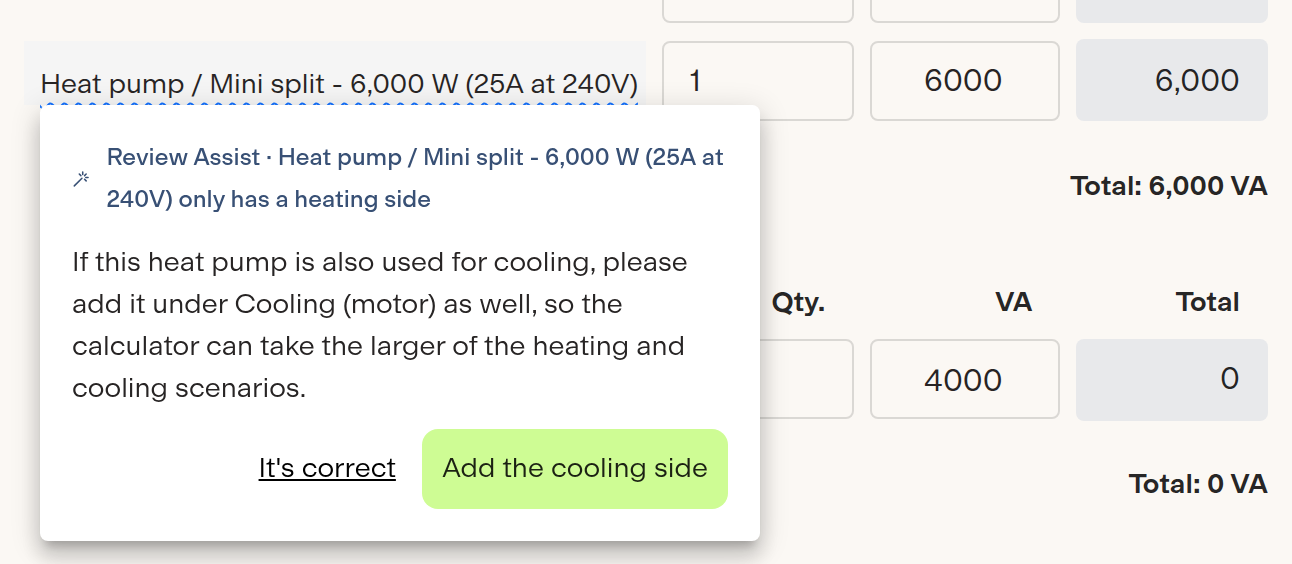
We know software doesn't understand the conditions in the real world, so nothing changes without your approval. If a flagged row is correct for the job, click It's correct and it stays marked every time you open that calc.
What it checks
Kopperfield is continuously improving the calculator to detect common issues. Here are some of the issues we see most frequently:
Wrong section. A library item filed under a different section than the library uses. The fix moves it so both calculation methods count it the same way.
Heat pumps used for both heating and cooling. A heat pump or mini split entered under only heating or only cooling when it's actually used for both. The calculator takes the larger of heating and cooling, so if a heat pump is used for both scenarios it needs to be entered in heating and in cooling.
Unit counts on a multi-family calc. On a building calculated as a whole, it can be easy to forget to update loads and circuits so that the minimum is present for each unit.
Balancing and load shedding lines. If a load shedding line is added, but then the equipment it balances is updated, the load shedding line may accidentally subtract more than the row it offsets.
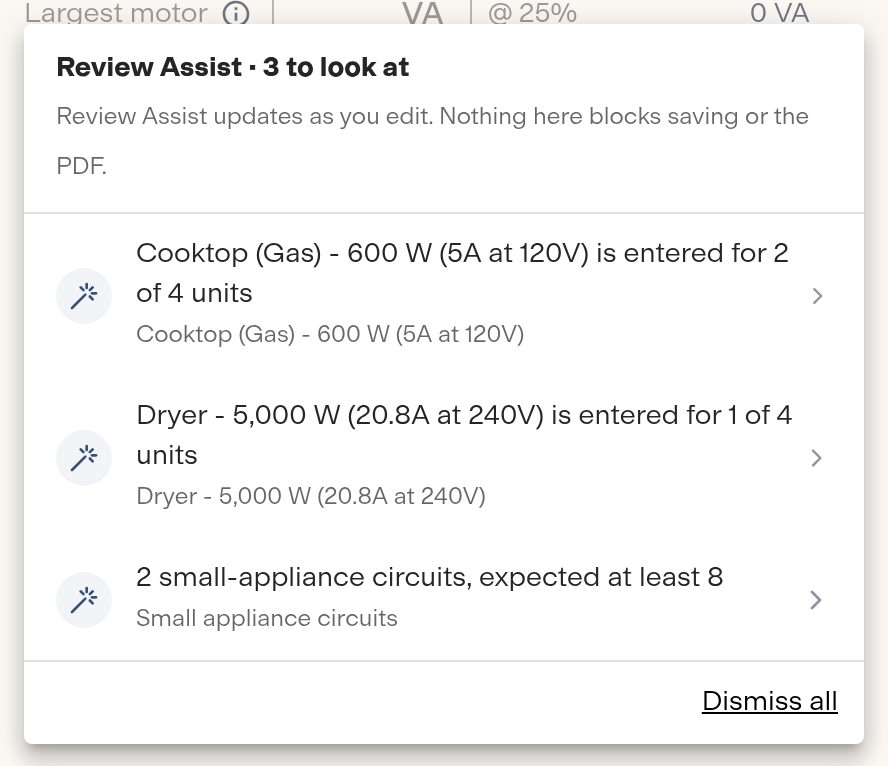
Review Assist flags loads and circuits that don't match the unit count.
Why we built it
A calc that comes back from plan review costs you a day or more. Most of the reasons are small and easy to see once someone points at them. Now the calculator does that while you still have the sheet open.
Thanks to all of our customers and users who provided feedback and helped us shape these checks.
Try the Load Calculator free. Review Assist is included. Subscribe for unlimited calculations. Available in English, Spanish and Chinese.