Single line diagrams made simple
No need to hire a designer or an engineer. Save time on projects with our free electrical single line diagram drawing tool. Choose a template from our library, update the drawing, and generate a downloadable PDF.
Explore free templates
Subscribers can create and save custom templates
Start with a blank diagram
A clean canvas with our full symbol library. Or pick a template below.
EV charger installs
Level 2 chargers on existing services, subpanels, and load-managed circuits.
Battery and solar
Home batteries, backup gateways, and solar tie-ins with or without whole-home backup.
Generator installs
Standby generators with transfer switches, alone or paired with a battery.
Panel upgrades
Main panel replacements, subpanels, and panel schedules.
Site layouts and other
Site plans, ADUs, duplexes, and light commercial layouts.
Other templates
More single line diagram templates.
Designed to save you time
Pre-built templates
Choose a template from common scenarios like service and panel upgrades and EV charger, solar, generator, and battery installs
Custom shop branding
Personalize single line diagrams with project details and shop branding and customize to meet the needs of your AHJ
Easy drawing tools
Create, edit, and share single line diagrams faster with standard symbols and drawing components
Downloadable PDF
Generate a free PDF of your single line diagram to send to customers or use for permit applications
Get started on your tablet
Download our app to create line diagrams on the go using your iOS or Android tablet



Mark-up existing plans, fast
Upload any plan set or diagram and add notes, revisions, and comments directly in Kopperfield. Perfect for redlines, inspector comments, or quick updates.
Try for free→
“I just created an account and have to say, it’s amazing how you put all the things a company needs together like this. It’s like I have a secretary that does everything I need with your tool.”
S
Shayne L
Business Owner
“I do a lot of EV charger installs, and getting permits can be a hassle. Your tool sped up the process.”
J
Jorge P
Business Owner
“Your tools are big time savers. I am about to retire soon, just turned 79. Wish I had these years ago.”
G
Gordon V
Electrician
Get more with premium design tools
Unlock the best of our load calculator and single line diagram tool when you subscribe to our Tools package.
Unlimited calculations and diagrams
Branded templates and boiler plates
Custom default values
Team dashboard
Library of all completed calculations and diagrams
AI-powered panel photo processing

Single line diagrams in three easy steps
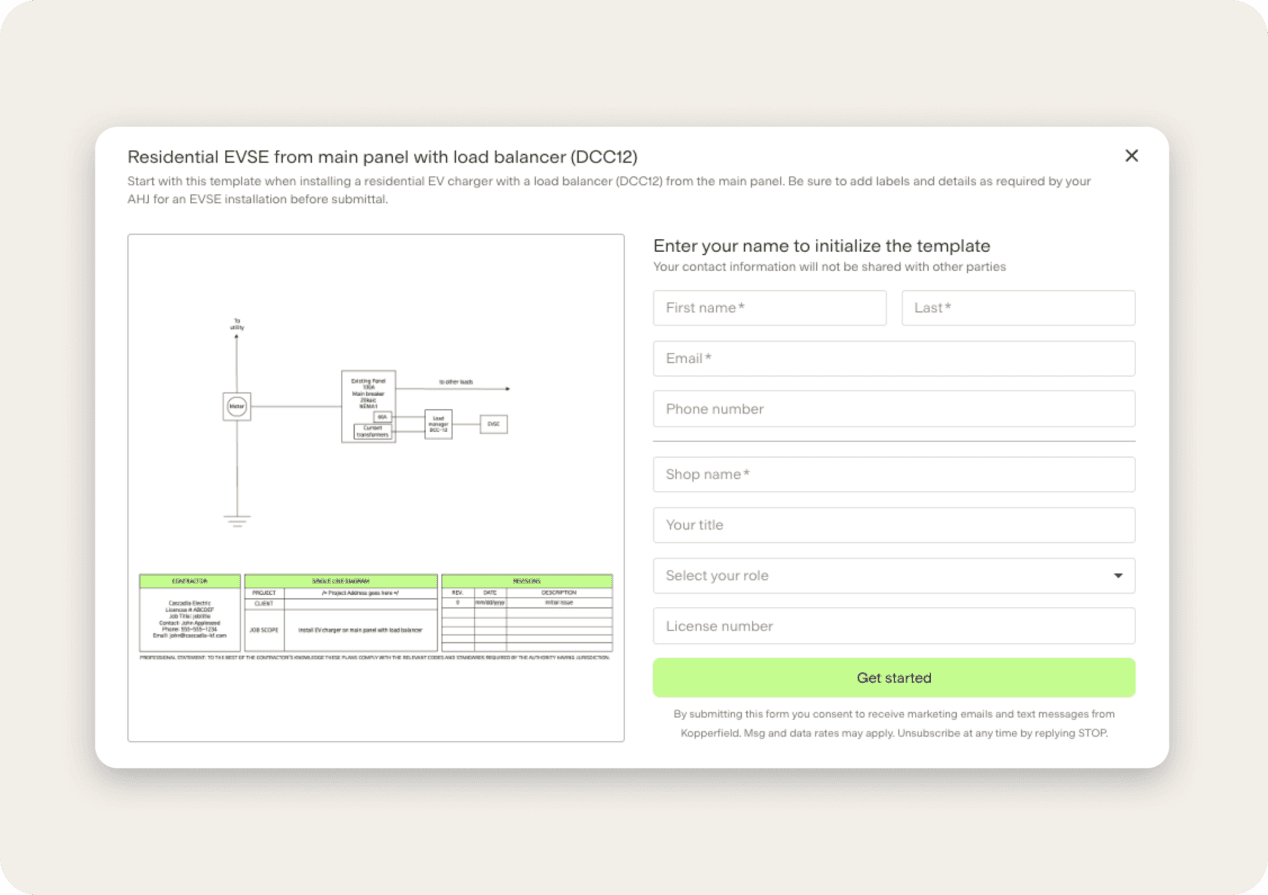
Get started for freeChoose a template to customize
Choose a category and select a single line diagram template. Add your shop info to personalize the boiler plate for your PDF output.
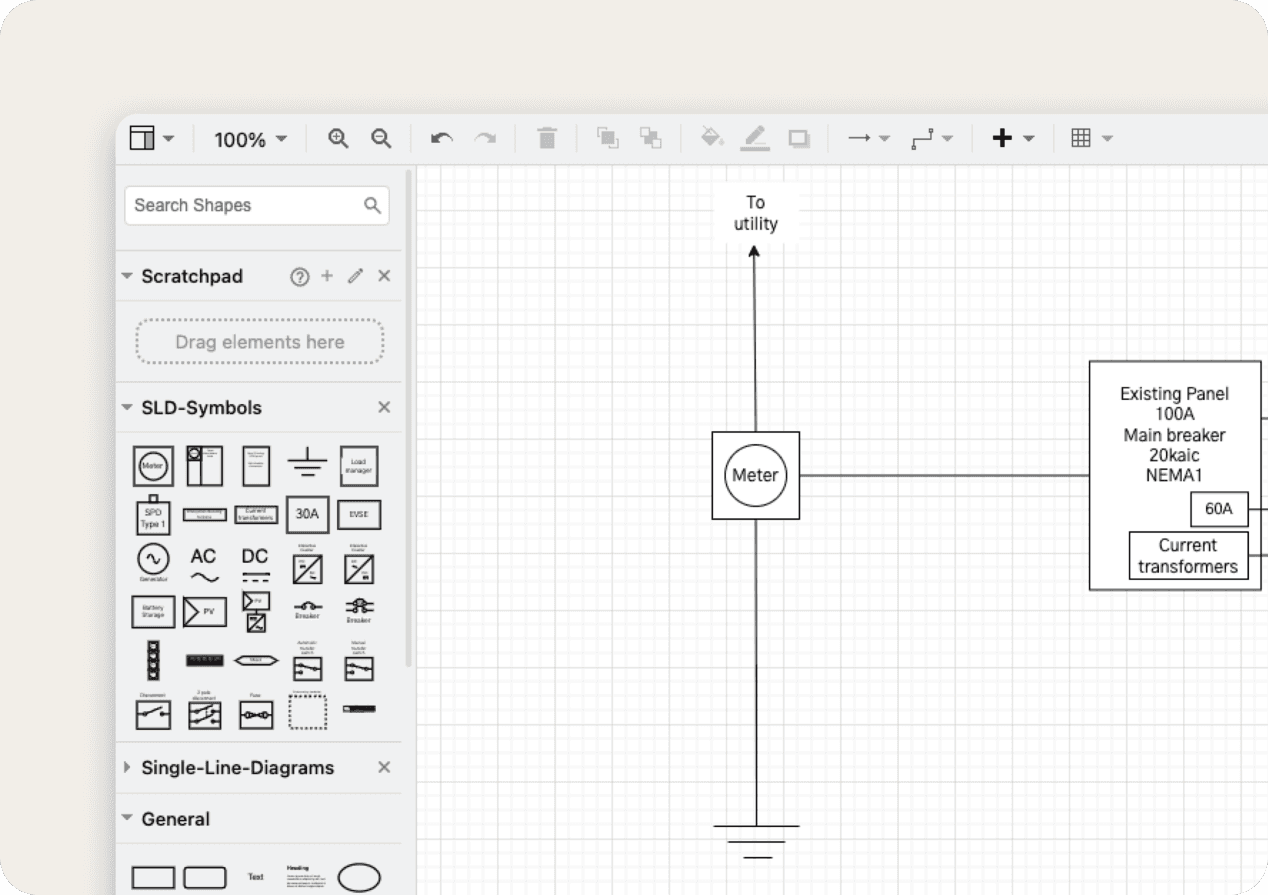
Edit your diagram
Use the drawing tools to customize your single line diagram. Update symbols, change colors, add comments, and more.
Get your free, shareable PDF printout
Finalize your boiler plate information and we’ll generate a free PDF that you can share with your permit application.

More tools for your electrical shop

Load calculator
Calculate electrical loads with NEC defaults and downloadable PDFs

Panel schedules
Drag and drop breakers and edit labels to create custom schedules

Fault current calculator
Calculate available fault current at every point from transformer to panel

NEC chatbot
Get answers to your questions about the National Electrical Code
Single line diagram common questions
More questions? Email team@kopperfield.com and we'll get back to you.
What is an electrical single line diagram?
A single line diagram (or one line diagram) is a simplified, easy-to-read graphical representation of an electrical power distribution system. It uses single lines and standard symbols to illustrate the key components such as transformers, circuit breakers, and power sources. A single line diagram provides a clear overview of how electrical power flows within a system and is essential for power system design, maintenance, and troubleshooting.
How do I use the single line diagram tool?
To start using our single line diagram tool, pick the template you'd like to edit from the gallery. Enter your email to begin editing. Select shapes and symbols from the left sidebar and drag these into the center of the page to edit the diagram. Select shapes to edit their style, text, or arrangement from the right sidebar. Save, preview, and send your completed diagram to email from the menu on the top right of the screen. If you need additional assistance, check out these resources for FE Electrical Exam Prep, which contain guidance on electrical symbol selection.
What single line diagram templates are available?
Kopperfield’s single line diagram tool includes templates for a variety of home electrification projects including templates for EV charger installations, generator installations, battery installations, solar installations, and panel upgrades.
Who is this tool made for?
This tool is made for professionals involved in the design, construction, and permitting of electrical upgrades. This includes electrical contractors, engineers, power system designers, maintenance technicians, and designers. Our tool makes it easy for anyone to create single line diagrams with simple drawing tools and features.
Where can I get help with my single line diagram?
Send an email to team@kopperfield.com if you're looking for assistance with your single line diagram. We can help with the completion of your single line diagram and share additional information about Kopperfield.